
We're sorry to see you go! If you're experiencing any issues or have concerns, we'd love to help. Please reach out to us at support@vida-ai.app and we'll do our best to assist you.
Need Help? Before deleting your account, consider reaching out to our support team. We may be able to help resolve any issues you're experiencing.
Contact us at support@vida-ai.app
However, if you've decided to leave and want to delete your account and discard all your data, please follow these steps:
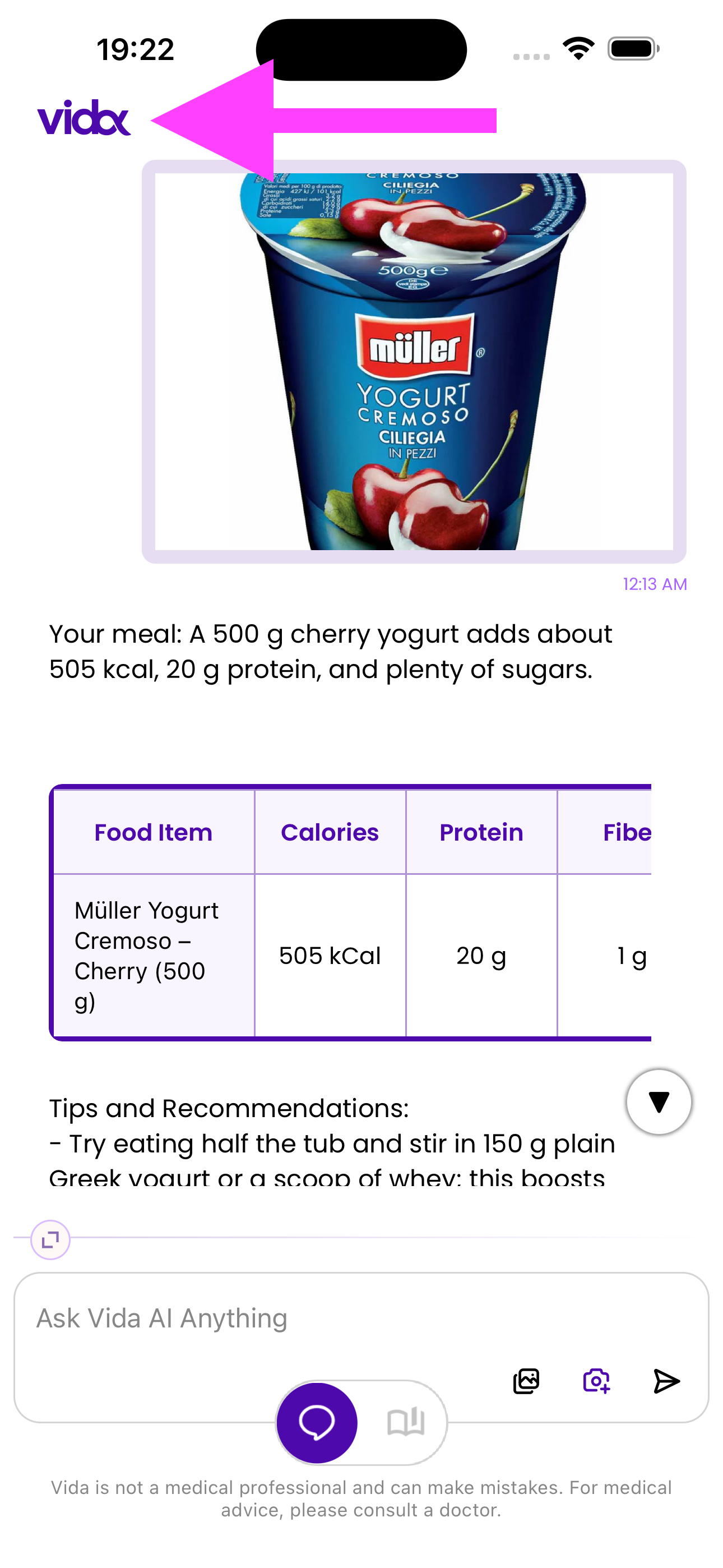
Open Menu
Open the side menu in the Vida app by tapping the menu icon in the top-left corner.
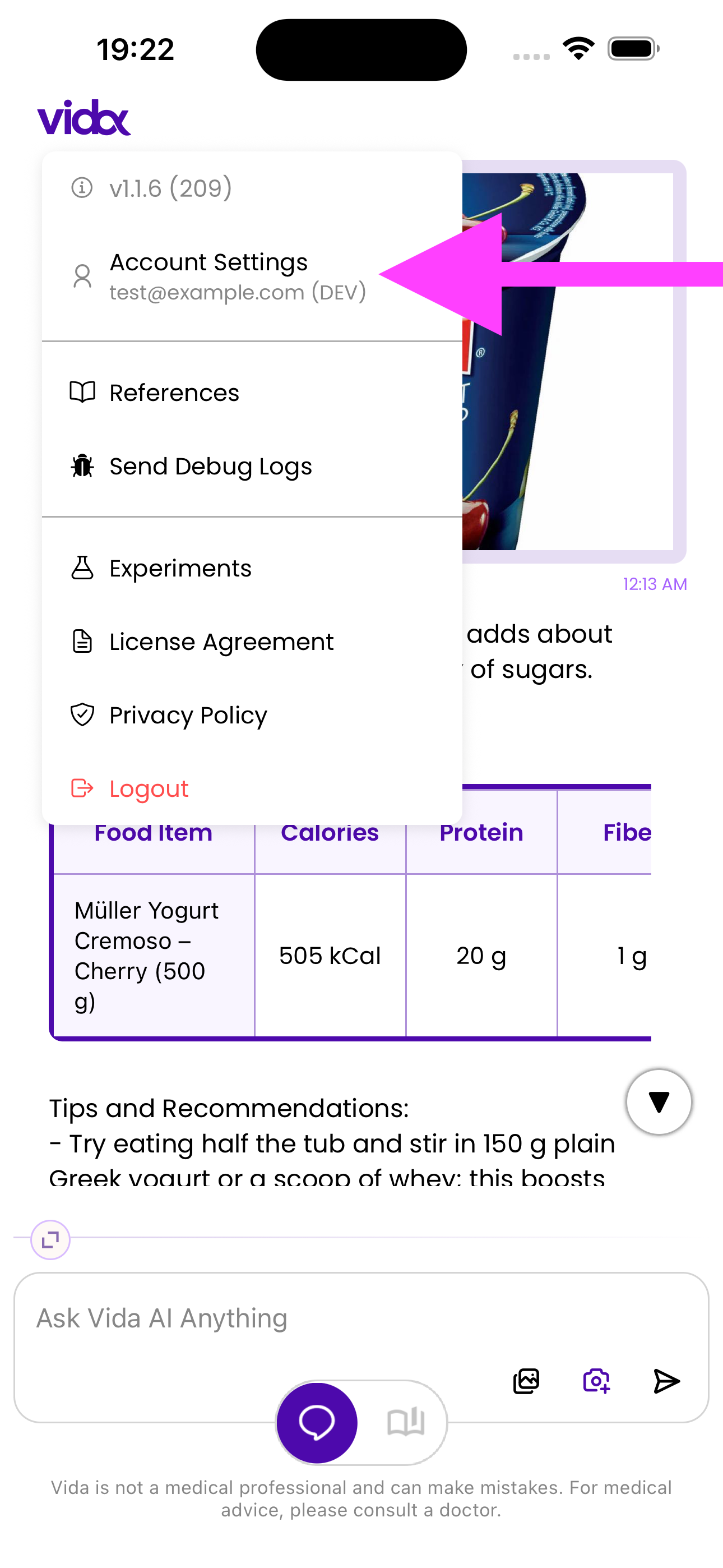
Click "Account Settings"
In the menu, locate and tap on "Account Settings" option.
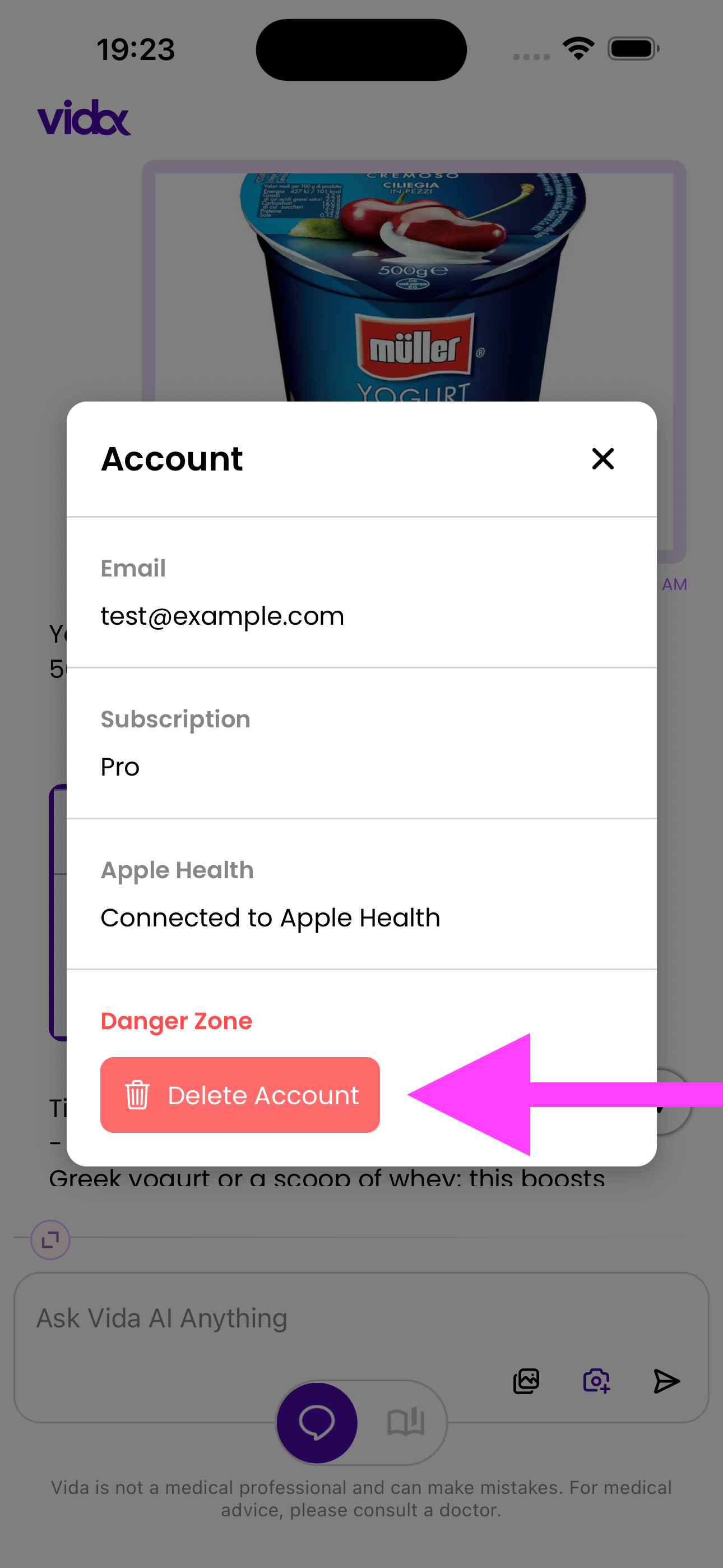
Click "Delete Account"
In the Account Settings screen, scroll down to the "Danger Zone" section and tap the red "Delete Account" button.
Deleting your account is permanent and cannot be undone. All your data, including meal history, photos, chat conversations, and progress will be permanently deleted. Please make sure you want to proceed before confirming the deletion.